
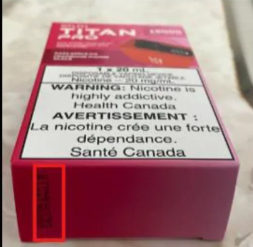
STLTH Titan Pro
The batch code may be printed on the side or bottom area of the box. Check the highlighted section shown in the image.

Vous devez avoir l'âge légal dans votre province ou territoire pour accéder et acheter des produits de vapotage sur mistervapor.ca
AFFECTE LES TAXES D'ACCISE FÉDÉRALES ET PROVINCIALES APPLICABLES
Je confirme que ma date de naissance et ma province sont exactes et j'accepte la vérification de l'âge et la destination de livraison.
ENTRERLa version française est disponible ici.

APPELEZ-NOUS
+1 (877) 678-2767
Before submitting a return request, please take a clear photo of the product’s batch code or serial number. Use the examples below to help locate the correct area on your product packaging.
For return requests, the batch/serial code photo must be clear, readable, and taken directly from the product or original packaging. This helps our support team verify the product quickly and avoid delays with your return.
Look for a printed/stamped batch code or serial number on the side or bottom panel of the box.
Make sure the batch/serial code is visible, in focus, and not covered by glare, fingers, stickers, or shadows.
Upload the photo when filling out the return form as this is required for verification and helps avoid delays.
Different brands and products place batch/serial codes in different areas. Check the highlighted red boxes in the reference images below.
The batch code may be printed on the side or bottom area of the box. Check the highlighted section shown in the image.
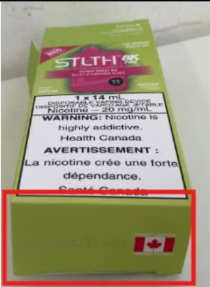
The batch code may be found on the bottom panel of the packaging. Use the highlighted section in the image as a reference.
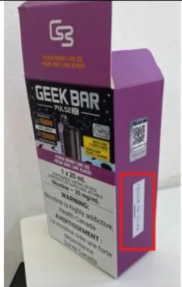
The batch code may appear on the side panel of the box as a vertical label. Check the highlighted area shown in the image.
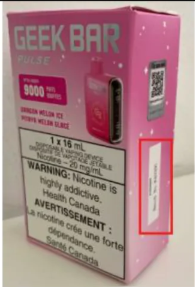
The batch code may be located on the side panel near the warning label. Use the highlighted section in the image as a guide.
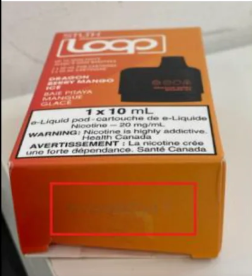
The batch code may be printed on the bottom panel of the box. Check the highlighted section shown in the image.
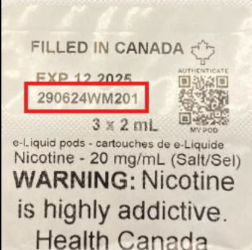
The batch code may be shown on the inner packaging or package label near the expiry date. Use the image as a reference when taking your photo.
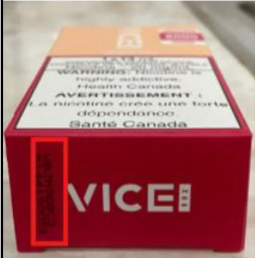
The batch code may be printed on the side or end panel of the box. Check the highlighted section shown in the image.
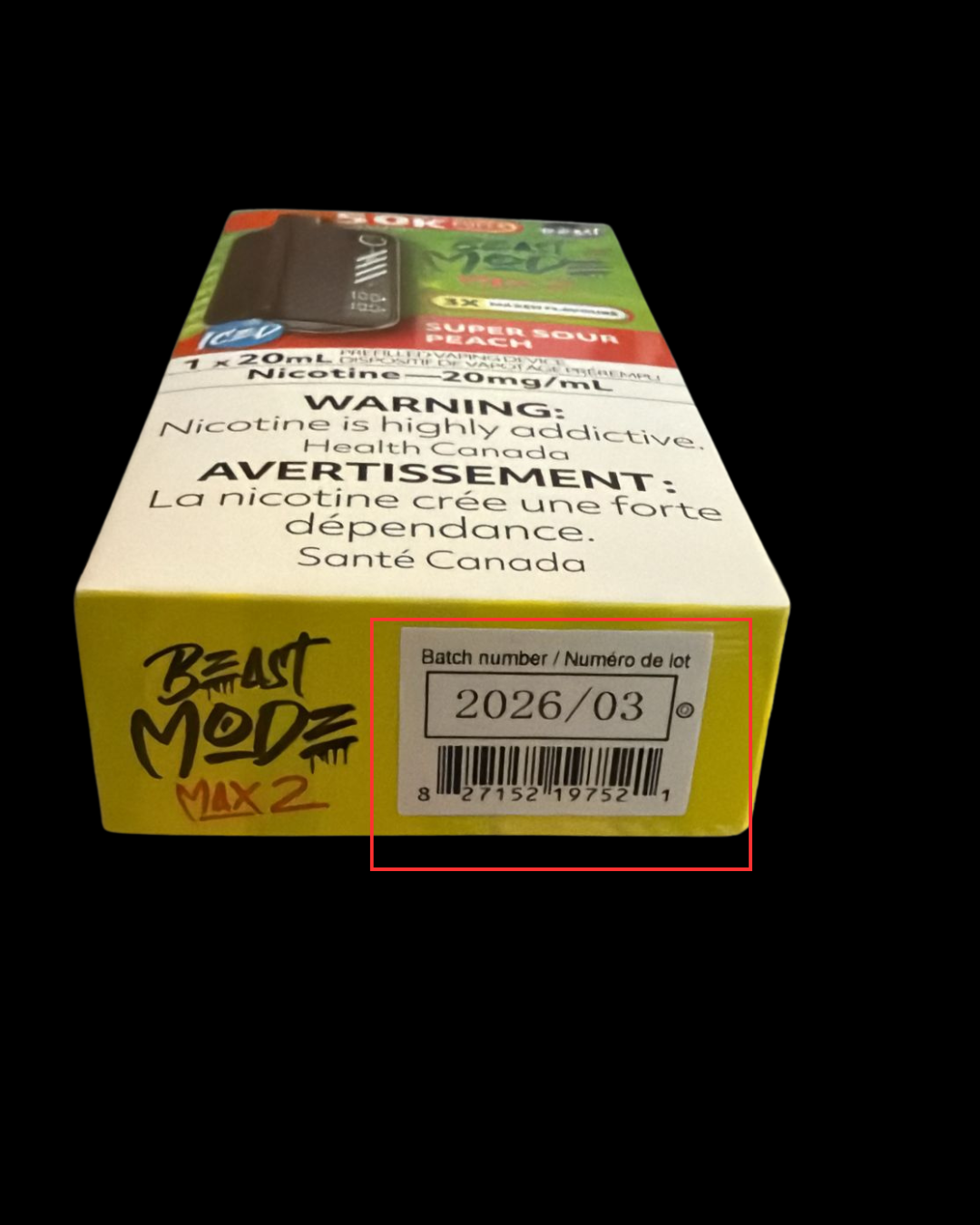
Batch code may be printed on the end panel of the box and above the barcode.
Once you have a clear batch code photo, attach it to your return request along with the other required product photos.
Go to Return FormThanks for subscribing!
This email has been registered!